

It feels like AI is powering almost everything we do online these days. Bringing smart tools into your website layout completely change how you run your operations and build brand recognition. Company leaders and project managers prioritize AI to cut down on busywork and drive innovation. Below, we’ll discuss how to use AI consulting & development services to automate repetitive procedures and increase sales.
Key points
Ways to Integrate AI Into a Website
Today, firms utilize some approaches to bring AI to their websites. We recommend that companies analyze their budget and needs to select the optimal algorithm.
Using AI APIs
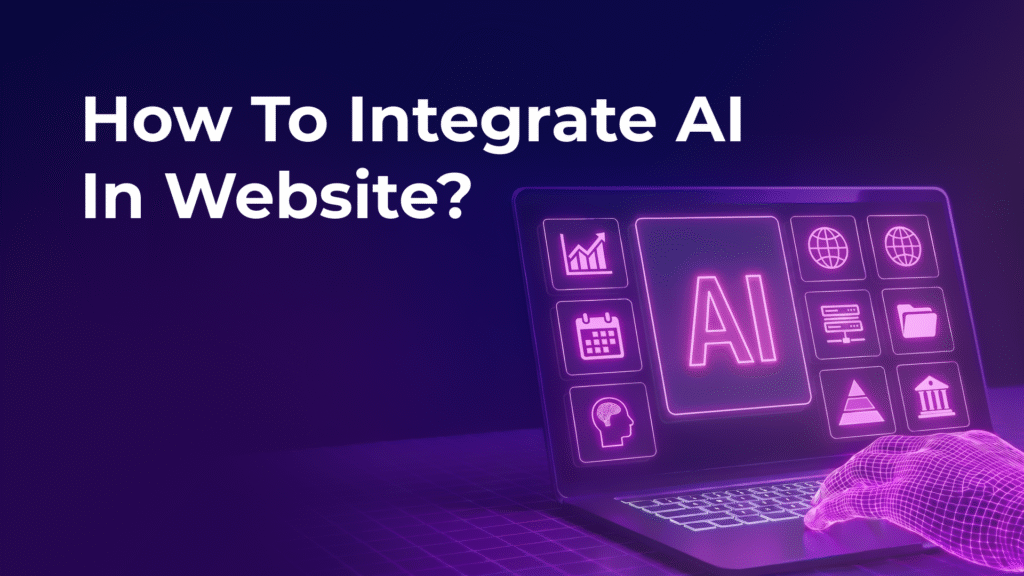
The popular way for how to integrate ai in website is to use ready-made AI APIs. Providers offer powerful application interfaces you can call from the back-end or front-end code.
Firms integrate a chatbot via the API to deal with client queries. This implementation process is straightforward:
- an engineer generates an API key;
- the server (e.g., Node.js) handles the HTTP requests;
- the processed data is fed to the front-end UI.
The technology requires minimal infrastructure. All resource-intensive calculations are performed on the provider’s servers.
Using Plugins and Widgets
If you have limited programming skills, plugins and widgets offer minimal-code solutions. Famous platforms, e.g., WordPress, offer a vast AI plugins ecosystem.
- WordPress Environments – webmasters can quickly install pre-packaged tools, e.g., the AI Engine plugin (by Jordy Meow) or ChatGPT integrations.
- Shopify Storefronts – digital retailers often favor drop-in widgets that offer product tips and smart search tools.
- Visual Development Platforms – no-code application builders Bubble or Webflow enable developers to embed conversational components or automated modules directly into layouts.
Plugins involve copying a script tag or installing a plugin from a marketplace. They are convenient for many users but may lack customization and restrict API integration.
Custom AI Models
Custom AI-backed models are an optimal solution for fine-tuning tasks. Building systems requires using frameworks, e.g., TensorFlow.js. You may form models with cloud environments or your own solutions with Docker.
Custom models are comfortable for domain-specific tasks, e.g., fraud prevention or image scanning. The approach requires skills and a considerable initial investment.
Step-by-Step AI Integration Process
You must develop a systematic process to guarantee structural stability before adopting AI. Next, we’ll analyze the standard integration scheme.
Define the Purpose
Do not build AI features just for the sake of having them. Figure out exactly where the technology adds measurable value. Below we’ll analyze several examples.
- assistance with repetitive procedures, e.g., data sorting;
- displaying personalized recommendations;
- augmenting the decision-making process. Firms can evaluate client behavior or predict tendencies.
We recommend studying competitors and interviewing customers about the challenges they face.
Choose AI Tool
If you want to evaluate technologies, consider pricing and simple integration. A thorough analysis of the trade-offs between options is highly recommended:
- pre-built APIs for speed;
- open-source models for customization;
- enterprise solutions for heavy usage.
Experts recommend testing several options with small prototypes.
Connect API
The subsequent phase concentrates on configuring authentication and initiating API calls. Developers should store API credentials within environment variables to protect sensitive infrastructure. For frontend-heavy applications, routing calls through serverless functions prevents the private API credentials’ exposure within client-side browser source code.
Build UI
The interface must be designed to make cooperation with AI intuitive. When you deal with conversational interfaces, implementing structured scenarios and quick-response buttons optimizes the user experience. If we speak about recommendation engines, displaying data via clean product cards or carousels ensures clarity.
Optimize Performance
Smart instrument integration can slow down websites if used incorrectly. You can perform some optimizations:
- caching frequent responses;
- lazy-load heavy page components;
- implement streaming responses if supported;
Regular performance checks keep pages loading quickly.
Benefits of AI Integration
AI сhanges how firms cooperate with clients. Smart instruments suggest personalized services and improves productivity. Below, we’ll discuss the profits of AI in an increasingly competitive environment.
Better UX
AI allows firms to deliver individualization at scale by tailoring dynamic web layouts. This motivates visitors to stay on your platform longer.
Automation
Smart systems automate background processes, e.g., client support. The improvement frees your specialists to concentrate on high-impact objectives and decreases operating costs.
Higher Conversions
Smart systems suggest AI-backed pricing and bots that guide buyers through the sales funnel. These features increase conversion rates.
Scalability
Moving from rigid, rule-based systems to intelligent data processing allows your website to scale dynamically if the user base boosts.
Conclusion

Mastering AI implementation technology for websites helps firms stay competitive. You may select an API connection or build your own solutions, but it’s critical to set aims and iterations.
If you need help adopting AI features, you can turn to professionals, e.g., SoloWay Technologies. Our specialists will help you unlock the AI empowerment for your platform. We recommend starting small and monitoring the results. The web development’s future is connected with smart instruments.