

AI upscaling turns a small image into a larger version while keeping all important visual details. The model studies image patterns and predicts absent detail.
It works remarkably well on standard textures (wood, brick, clothing weave), as it essentially makes an educated guess on how to fill out the image/video and create a larger and high-quality version. There are numerous AI consulting & development services that provide such upscaling, as there are several factors that can make the process more difficult. This post explores AI and traditional upscaling, benefits of the process, and how the overall process works.
Key points
What Is AI Upscaling?
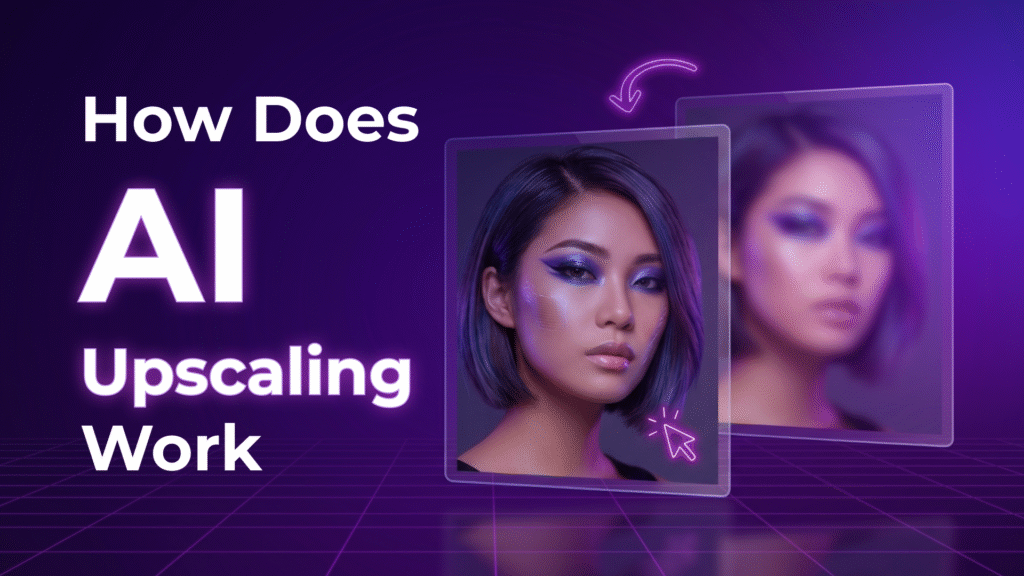
So, how does AI upscaling work? It uses a trained neural network to increase image resolution. The model studies pixels, edges, textures, colors, and shapes, then predicts new pixels that fit those patterns. A standard enlargement method uses nearby pixel information. Artificial intelligence can recognize patterns such as faces, bricks, leaves, and letters.
Suppose you have a 500-pixel photo of a face and need a 1,000-pixel version. AI studies the eyes, hair, skin texture, and facial edges before it predicts extra pixels. The result contains predicted details that weren’t present.
AI Upscaling vs Traditional Upscaling
The traditional method increases an image through interpolation. Bilinear and bicubic methods calculate new pixel values from nearby pixels. So, small text, hair, textures, and facial details can lose definition. The result depends on existing color information, not learned visual patterns.
Now that you know about traditional methods, here’s a comparison of AI and classic upscaling:
| AI upscaling | Traditional upscaling | |
| Detail prediction | Uses learned image patterns | Uses nearby pixel values |
| Fine textures | Can reconstruct likely detail | Usually becomes softer |
| Small text | Can improve letter shapes | Often stays blurry |
| Computer demand | Usually needs more computer power | Usually needs less computer power |
| False detail risk | Can invent incorrect detail | Rarely invents new patterns |
Note that the traditional process doesn’t predict non-existent details, like artificial intelligence. But AI can make poor judgement because of its guesses. So, it’s important to monitor the results when you use artificial intelligence.
How AI Upscaling Reconstructs Image Details
The process starts with the source image and searches for visual patterns that match what the model learned from its training. It can identify edges, shapes, textures, and repeated forms, then estimate pixels that fit those patterns.
A small brick-wall photo may have vague blocks of color. The model can recognize bricks and mortar lines, then predict finer edges and gaps. A low-resolution portrait may contain few pixels. For example, around the eyes, nose, and mouth. AI estimates likely eye shapes and facial contours, but those details are predictions.
A small sign may contain letters that blur into each other. AI can restore recognizable letter forms from partial shapes, but important words need a source check.
What Can AI Upscaling Improve?
It works best when the source contains enough visual evidence for the model to recognize needed patterns. These are common improvements that can be made via AI:
- Small text. It improves letter shapes when the source contains partial character details. It can make signs, labels, and scanned documents easier to read.
- Facial details. It can refine eyes, hair, and facial contours when the original portrait contains enough information for a plausible prediction.
- Fine textures. AI can reconstruct patterns in fabric, wood, grass, or stone. It easily recognizes repeated textures.
- Edges and outlines. AI can improve object boundaries when compression or low resolution causes those boundaries to look soft.
- Old photographs. It’s ideal to increase the size of small archival images and lower some visible softness. However, it can’t make miracles, especially if there’s severe damage to photos.
Understand that this tool isn’t a one-size-fits-all solution. It also makes mistakes, so check images.
What Are the Benefits of AI Upscaling?
It helps when the original file lacks enough pixels for its intended size. These are the benefits of the technology:
- You can create a larger image from a smaller source.
- Fine features can look more defined after AI reconstruction.
- Small letters can become easier to inspect when the source contains partial character shapes.
- Small archival images can become suitable for larger displays.
- More usable low-resolution files that would otherwise look too small.
It doesn’t guarantee perfect results with severe blur, heavy compression, or absent information.
How Much Can You Upscale an Image With AI?
Many people believe that AI can accomplish miracles. But is that the case? There are several levels of upscaling, which we’ll explore further.
2x Upscaling
It doubles width and height. The final file has four times as many pixels. For example, a 1,000 x 1,000 image becomes 2,000 x 2,000.
4x Upscaling
It quadruples width and height. The file has sixteen times as many pixels. A 500 x 500 image becomes 2,000 x 2,000. However, the model has far more absent detail to predict.
8x Upscaling
It creates a very large increase and places greater prediction demands on the model. For example, a 250 x 250 image becomes 2,000 x 2,000. Unfortunately, fine details may become inaccurate, as the source has little visual evidence.
How Is AI Upscaling Used in Real Life?

It’s used in photography, archival work, design, video production, and digital restoration. In videos, it improves lower resolution for modern TVs. For instance, a video format can become 1080p after 720p.
What Is the Future of AI Upscaling?
AI upscaling will likely improve as models learn more visual patterns. Updated systems may distinguish text, faces, textures, and objects more accurately to reduce incorrect predictions.
Current artificial intelligence can predict absent pixels from visual evidence instead of nearby colors. Still, the results can be plausible-looking, but with incorrect details.